










Pepper the Giant Purple Dog
You start Skibidi Shooter with a handgun, a city under siege, and a wave of enemies already closing in — no cutscene, no slow ramp-up, just a Cameraman with a gun and a job to do. The game drops you straight into its wave-shooter loop and expects you to figure out weapon timing as the waves get harder around you.
Skibidi Shooter Puts You in the Cameramen’s Boots
You play as one of the Cameramen, the resistance holding the line against an invasion of Skibidi Toilets, and the whole game is built around clearing wave after wave of them before they overrun the city. There’s no story detour or dialogue slowing things down between fights — the pacing stays tight from the first wave to the last one you survive.
Three Guns, One Job
- A handgun for close, fast engagements when enemies are already on top of you.
- A sniper rifle for picking off threats before they close the distance.
- A machine gun for crowd control when a wave gets thick.
Switching between the three mid-wave is the actual skill test here — sticking with one weapon too long usually means getting caught reloading at the worst possible moment.
Skibidi Shooter’s Campaign and Endless Mode
Beyond the level-based campaign, an Endless Mode strips away the structure entirely and just keeps sending waves until you can’t hold the line anymore, which is where most of the game’s replay value sits once the campaign’s been cleared once.
- Do I need to finish the campaign before trying Endless Mode? The campaign is where you learn wave timing and weapon switching, and most players find Endless Mode a lot less punishing once that campaign muscle memory is in place.
- Is there a way to avoid getting swarmed? Positioning matters as much as weapon choice — funneling Skibidi Toilets into a chokepoint with the machine gun beats trying to out-aim an open crowd with the sniper rifle.
Skibidi Shooter doesn’t pretend to be the only game built around this meme — it’s one of a crowded field of Skibidi Toilet shooters that followed the format’s explosion, and it earns its spot mostly on how snappy the weapon swaps feel wave to wave, not on reinventing what a Cameraman with a gun is supposed to do.
What happens when you give a cat the run of Granny’s house and no reason to behave? I Am Cat VR answers that by dropping you into a full house as a cat, physics enabled, breakables everywhere, and lets you find out for yourself just how much chaos a low-consequence cat’s-eye view can cause.
What I Am Cat VR Actually Wants You Doing
The sandbox nature of the game is the whole draw — you’re able to explore Granny’s house at your own pace, batting objects off shelves and testing what the physics engine lets you get away with, rather than following a strict objective list. Stealth plays into this too, since Granny herself is present in the house and part of the fun comes from a low-stakes hide-and-seek dynamic as you cause trouble under her nose.
The Minigames I Am Cat VR Adds to the House
Beyond open exploration, the house includes a handful of minigames — football, basketball, and a catch-the-mouse chase are the ones that show up most often in player discussion — giving you something more structured to do once knocking over the same shelf stops being novel.
Player discussions around the game have been fairly divided, with some Steam threads raising pointed concerns about asset quality and even questioning whether some of the game’s visuals were AI-generated rather than originally made — a debate that’s followed the game more than most sandbox titles in its genre, and one worth knowing about going in.
Controls have also drawn mixed reactions, particularly from players using specific VR hardware, who’ve reported the movement feeling unreliable compared to smoother VR titles, and the game currently doesn’t offer much in the way of comfort or movement options to adjust that experience to personal preference.
Whether the appeal is the stealth game with Granny, the minigames, or just seeing how far a cat can push a vase before it actually falls, I Am Cat VR’s whole identity rests on one simple idea: a cat has no obligation to be careful, and the house is built to prove it.
You crash through a parked car, chew through a fleeing crowd, and hold down the fire button long enough to turn a city block into a wall of flame — and that’s just the first level. Rio Rex puts you in control of a rampaging Tyrannosaurus tearing through Rio de Janeiro, and it never really slows down from there.
Rio Rex’s Sixteen Levels of Controlled Chaos
The game is split across sixteen levels, each set in a different corner of the city, and every one of them is built around the same core question: how much can you destroy before it’s over? Movement uses the arrow keys or A and D, jumping is W or up, and combat is split between a quick chewing bite on left-click and a held-down fire breath that turns the same button into something far more destructive. Learning when to bite and when to hold for fire breath is most of what separates an efficient level clear from a chaotic one.
Explosive Props Do Half the Work
Rio de Janeiro’s streets are full of flammable objects — drums and crates mostly — and picking them up or setting them off is often more effective than relying on fire breath alone. Chaining an explosion into a group of fleeing civilians or a cluster of parked cars is where the game’s destruction really escalates, and experienced players plan their path through a level around where these props are sitting rather than charging in a straight line.
Armed Resistance Doesn’t Stay Passive
Not everyone in the city just runs. Armed humans carrying rockets and chainsaws show up as the levels progress, giving you something that can actually hurt back instead of just scattering out of the way. It’s a small but real shift in tone — the early levels feel like pure demolition, while later ones ask you to pay attention to where the armed enemies are before you commit to a building.
Hunting for Skulls
- Each level hides up to three skulls somewhere in its layout.
- Finding them isn’t required to finish a level, but they’re what unlock the game’s upgrades.
- Some skulls are tucked into spots you’d only find by deliberately exploring instead of just rampaging through on the fastest path.
A dedicated segment of the player base treats skull-hunting as its own separate challenge from just clearing levels, since a full skull collection changes how strong your rex feels in later stages.
Rio Rex Is Part of a Bigger Rampage Series
Rio Rex isn’t a standalone idea — it sits alongside other city-rampage games in the same style, including Mexico Rex and LA Rex, each swapping in a different city to demolish under the same core rules. Players who’ve played more than one in the series tend to compare them on level layout and prop density more than on the core bite-and-burn loop, which stays consistent across all of them.
Whether you’re funneling a crowd into a chain of exploding drums or tracking down the last hidden skull in a level you thought you’d already cleared, Rio Rex keeps the appeal simple: you’re a T-Rex, the city is fragile, and every level is another excuse to prove it.
vampires in your area looks like a joke concept from the setup alone — a magazine quiz insists vampires are your ideal match, and then an actual singles ad for local vampires turns up — but the game plays the resulting romance completely sincerely once its vampire love interest shows up.
vampires in your area Starts With a Quiz That Turns Out to Be Right
You play a customizable protagonist who takes that magazine quiz half as a joke, only for a real vampire personals ad to follow it up. vampires in your area treats this premise with a light, comedic touch without undercutting the actual romance once you start talking to Nox, the vampire at the center of the story.
vampires in your area Is Short, Bright, and Built for One Sitting
- A full playthrough runs somewhere between forty-five minutes and an hour.
- The whole thing totals around ten thousand words of dialogue and narration.
- An expanded update added content specifically to flesh out an ending that originally felt rushed, according to the developer’s own notes on the change.
The bubbly, pixel-adjacent art style and music are what most players bring up first, and the tone stays consistently warm and a little silly rather than leaning into any real horror elements despite the vampire premise.
- Is vampires in your area actually a horror game? No — despite the vampire subject matter, it plays as a straightforward, warm romance with comedic beats rather than anything frightening.
- How long is the game? Roughly an hour at most, built around a single, focused story rather than multiple branching routes to replay.
Reader translations into several languages have followed vampires in your area since release, which says a lot for a game this short — the reaction to Nox and the story’s warmth clearly outran its runtime, even if the most common complaint is simply wanting more of it once the credits roll.
Your best friend Eli hands you a stack of photos and video clips from his family’s house and asks you to look closer — that’s the entire premise Shutter Story needs before its analysis software becomes the whole game. What follows is less about walking through haunted rooms yourself and more about learning to see what’s hiding in evidence someone else already captured.
Shutter Story Turns Photos Into the Main Mechanic With SpectralAware
Shutter Story’s core tool is an in-fiction program called SpectralAware, which lets you adjust exposure, contrast, and noise on Eli’s photos and videos, applying filters to pull hidden phenomena out of images that look ordinary at first glance. Learning to manipulate these settings well is the actual skill the game is testing, more than reflexes or exploration ever are.
Classifying What You Find
Once something’s visible, Shutter Story asks you to classify it — Apparitions, Simulacra, Strange Lights, and Demonic Entities are among the categories on offer, and misclassifying evidence has real consequences. Get a classification wrong and it can shift dialogue, trigger escalation events, or intensify the haunting itself, which means careless analysis isn’t a victimless mistake.
The Shutter Story Demo Is Built Around Close Reading
- The demo runs around forty-five minutes.
- It includes close to twenty individual photos and videos to analyze.
- Three first-person exploration sequences break up the analysis work with actual movement through Eli’s world.
That balance — mostly still analysis, with exploration used sparingly — is deliberate, and it’s what most reviewers point to when comparing Shutter Story to narrative detective games built around examining evidence rather than confronting threats directly.
Funded Well Beyond Its Original Goal
Shutter Story’s Kickstarter campaign asked for fifteen thousand dollars and ended up raising over twenty-one thousand from more than five hundred backers, a strong signal of interest well before the demo proved the concept out. The planned full release is expected to expand past eighty haunting photos and videos across a larger, multi-generational story than the demo currently shows.
An Early-2000s Horror Throwback, on Purpose
Coverage of Shutter Story consistently draws a comparison to narrative games built around examining recorded evidence rather than exploring freely, and the game leans into an early-2000s horror aesthetic rather than a modern, glossy look. That combination — analog-feeling evidence analysis wrapped in a deliberately dated visual style — is a big part of what’s made the demo stand out from more conventional haunted-house games.
Shutter Story trusts a stack of photos and a piece of fictional analysis software to carry its horror, and Eli’s evidence rewards exactly the kind of close, patient looking that most horror games never bother asking for.
BONELAB looks like a physics-toy sandbox from a trailer, but the campaign that gets you there starts with escaping a hanging, moves through a research facility built around swapping bodies entirely, and ends up asking exactly how far a system called 1Marrow can be pushed before things break down.
Escaping Heaven’s Reach
BONELAB opens with your character, a peasant, narrowly escaping execution in a region called Heaven’s Reach. That escape sets the story in motion, eventually leading you into the research facility the game takes its name from — a place built around a technology that lets you inhabit entirely different physical bodies, each with its own strength, speed, and reach.
Jay Guides You Through the Facility
A character named Jay walks you through the Bonelab’s structure, sending you through a series of minigame-style levels to earn new avatars before the story builds toward a final confrontation. Each level functions as both a piece of the narrative and a practical unlock system — you’re not just watching Jay’s story unfold, you’re actively earning the tools the rest of the game depends on.
A Body-Swapping System With Real Mechanical Weight
Avatars are swapped through a body-log worn on your elbow, and BONELAB ships with seven of them, each with its own stats calculated by the game’s in-fiction 1Marrow system — speed, height, strength, and vitality all shift depending on which body you’re currently wearing. This isn’t cosmetic; a small, fast avatar plays meaningfully differently from a slow, powerful one in the exact same room.
Regions Worth Naming
- Fantasyland, a level that breaks from the facility’s grounded tone entirely.
- MythOS, a city hub area that anchors a lot of the game’s later structure.
- LavaGang and Mine Dive, both distinct environments with their own hazards and layout logic.
- The Bonelab Hub itself, including the LongRun airlock area that connects much of the facility together.
What’s Actually Trying to Kill You
Enemies range from small, swarming Crablets to Nullbodies and their corrupted variant, alongside Omni-Projectors, Skeletons, and stationary Void Turrets. Combat leans on the same full-body physics that defines everything else in BONELAB — a punch or a thrown object behaves according to real momentum, not a scripted animation, which is a big part of why fights can feel as chaotic as they do satisfying.
The Lava Gang and BONELAB’s Modding Roots
Inside the story itself, a faction called the Lava Gang represents anarchist modders whose whole ethos is built around creative freedom — a piece of in-fiction lore that mirrors what happened to BONELAB after launch. A genuinely large modding community grew around the game, distributing custom multiplayer modes, maps, weapons, and avatars through mod.io and Thunderstore, and an annual community modding event called BoneJam has become a fixture for people still building on top of the base game.
Where the Campaign Falls Short
Reception has landed in mixed-to-positive territory rather than universal acclaim. The most consistent criticism is length — roughly three hours of what players consider meaningful campaign content stretched across a six-hour experience, with several post-avatar-unlock levels feeling more like disconnected tech demos than a tightly built campaign. The physics-driven traversal, especially climbing, gets praised as genuinely innovative by the same players who also find it occasionally frustrating to control precisely.
Do I need to have played Boneworks before BONELAB?
No — BONELAB is a direct sequel in spirit and tone, but its story and avatar system are self-contained enough that it doesn’t require finishing the earlier game first.
Is BONELAB primarily a story game or a sandbox?
Both, deliberately — the campaign with Jay is a real narrative through-line, but a large part of the game’s lasting appeal comes from the open sandbox mode and the mod scene built around it, well beyond what the story alone offers.
How successful was BONELAB commercially?
It sold roughly a million dollars’ worth of copies within its first hour on Quest 2 alone, a strong signal of how much anticipation had built around it as Boneworks’ follow-up.
BONELAB earns its reputation less from a tightly paced campaign and more from everything built around it — Jay’s escort through the Bonelab, the weight of seven very different avatars, and a modding scene that took the Lava Gang’s creative-freedom ethos and ran with it long after the credits rolled.
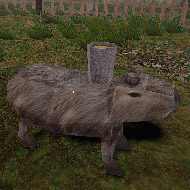
What does a chicken farmer do when something that looks suspiciously like a capybara starts disrupting the morning routine? KACIPBARA spends its first few minutes playing like a low-key farm chore sim before answering that question in a much stranger direction than the setup suggests.
KACIPBARA Starts With a Farm Routine That Doesn’t Stay Routine
You start KACIPBARA going through ordinary chicken-farmer tasks, and the game uses that mundane opening deliberately — it’s the calm the rest of the experience is built to disrupt. Once the capybara figure enters the picture, the tone shifts hard, swinging between straightforward horror beats and moments that are almost comedic in how absurd they get.
A Short Game With Real Replay Value
KACIPBARA runs about ten minutes for a single playthrough, but it’s built around two distinct endings, and reaching the “true” one specifically requires choosing to continue after the first ending plays out rather than stopping there. That structure rewards players who don’t treat the first credits roll as the end of the story.
Why Streamers Latched Onto It
- The tonal whiplash between silly farm-sim energy and sudden horror is exactly the kind of unpredictability that makes for good reaction content.
- Its short runtime makes it easy to feature in full without eating an entire stream segment.
- A dedicated leaderboard exists for players optimizing a fast clear, which has turned KACIPBARA into something people replay competitively as well as watch for the story.
What the Game Warns You About
KACIPBARA carries an explicit loud-audio jump-scare warning, which is worth taking seriously — the shift from farm-chore calm to horror beat is timed specifically to catch you off guard, and the audio is part of how that lands.
Do I need to finish the game twice to see everything?
Effectively yes — the first ending is a real stopping point, but the “true” ending is locked behind choosing to continue past it, so a single playthrough only shows part of what KACIPBARA is doing with its story.
Is KACIPBARA connected to any other games?
The same small development team behind it went on to make a second, more narrative-focused horror project afterward, though KACIPBARA itself stands on its own as a self-contained short experience.
KACIPBARA turns a ten-minute chicken-farming chore list into something genuinely unpredictable, and that willingness to swing between silly and unsettling without warning is exactly why it’s found an audience well beyond its short runtime.
What do you do when there are two of them? Granny: Chapter Two takes the sneak-and-escape formula of the original house and answers that question by adding Grandpa, an armed second pursuer, to a much taller building — three floors instead of one, each with its own dead ends, tools, and reasons to get caught.
Granny: Chapter Two’s Three-Floor House Changes How You Move
The extra floors aren’t just more square footage to search. Vertical movement between levels takes time, and time is exactly what you don’t want to spend retracing your steps when you realize the tool you need is a floor away from the door it opens. Players who cleared the original Granny house often say the biggest adjustment in Chapter Two isn’t Grandpa himself, it’s re-learning how to plan a route in three dimensions instead of one.
Item placement is randomized between playthroughs here just as it was in the first house, which means the screwdriver you need to open a wall panel might be on the top floor one run and in the basement the next. Players who like optimizing a single “best route” tend to find this frustrating on a floor-heavy map, while players who enjoy re-learning a house from scratch each time see it as the whole appeal.
Granny and Grandpa Hunt Together
Grandpa adds an armed presence to the house, on top of Granny’s own patrol, and a side antagonist known as Slendrina’s Child shows up as a third threat you can run into in the wrong room at the wrong time. Managing all three at once is less about memorizing patrol routes and more about reading which parts of the house currently sound quiet.
The Screwdriver, the Wrench, and the Crossbow
- A screwdriver is used to open wall panels and access points hidden around the house.
- A wrench is needed on the engine part bolts if you’re working toward the boat escape.
- A crossbow loaded with three tranquilizer darts can be found in a weapons cabinet, giving you a rare way to deal with a pursuer instead of just avoiding one.
None of these are optional flavor items — each one gates a specific escape path, so recognizing what a tool is for the moment you find it saves a lot of backtracking later.
The Bookshelf, the Diary, and the Locked Safe
One of the most talked-about discoveries in Chapter Two is the secret closet behind a movable bookshelf in the living room, which only opens after you pull Slendrina’s Diary out from among the books. Behind it sits a locked weapon safe that needs its own key before it gives up a shotgun. It’s a multi-step puzzle disguised as a piece of furniture, and it’s exactly the kind of detail that made walkthrough guides for this house so popular after release.
Three Ways Out of Granny: Chapter Two
- The front door on the first floor, the most direct exit if you’ve gathered what it needs.
- A boat accessible from the second basement floor.
- An attack helicopter on the third floor, the most vertically demanding of the three routes.
Choosing between them usually comes down to which tools you happened to find first, not a fixed strategy — a run that stumbles onto the boat’s engine parts early plays very differently from one that finds the helicopter’s requirements first.
- Do I have to deal with both Granny and Grandpa on every route? Both patrol the same house regardless of which exit you’re working toward, so avoiding one doesn’t mean avoiding the other — you’re managing both threats no matter which floor you’re on.
- What is the crossbow actually for? It fires tranquilizer darts and is one of the few tools in the house that lets you deal with a pursuer directly rather than just staying out of their way, though the three darts you start with don’t last long if you’re careless.
- Is the secret closet required to escape? Not for every route, but the shotgun behind it is one of the more reliable tools once you have it, which is why the bookshelf-and-diary puzzle became such a well-known part of the house.
Granny: Chapter Two earns the sequel label by making the house itself the bigger threat — three floors, two pursuers, and a shotgun locked behind a piece of furniture nobody expects to search. Whether you get out through the front door, the boat, or the helicopter, the game wants you to have earned it.
You wander into a quiet street as an ordinary-looking deer, nose around a few parked cars, and then — almost by accident — stretch your neck across half the block like a grappling hook and send a mailbox flying. That’s the moment Deer Simulator actually reveals itself: a peaceful animal-exploration toy that’s one weird neck movement away from becoming a full-blown town demolition.
Deer Simulator’s One Very Strange Power
The core gag of Deer Simulator is that your deer isn’t limited to normal deer behavior. Alongside walking, grazing, and generally existing in a small stylized town, you can stretch your neck out like an elastic grappling hook, letting you yank objects, knock things over, or fling yourself around in ways nothing on four legs should be able to do. It’s the single mechanic the rest of the game is built to escalate around.
Peaceful Exploration Is Always an Option
Nothing forces you into chaos. You can spend a session just wandering the town, interacting with other animals, and generally playing it as a low-stakes life sim if that’s what you’re after — the destruction is optional, not mandatory, which is part of why the game gets compared to a toy as often as it gets compared to a traditional game.
Cause Enough Trouble and the Town Fights Back
Push your chaos far enough, though, and the town’s response escalates in ways that are genuinely strange even by the standards of a stretchy-necked deer. A kung fu master sheep gets involved. Bears show up that transform into police cars. Rabbits with ridiculously over-developed ears join the response. None of these are throwaway jokes you see once — they’re the game’s actual escalating threat system, dressed up as the most absurd wildlife task force imaginable.
Built in the Shadow of Goat Simulator
Deer Simulator wears its inspiration openly — it’s explicitly built in the physics-chaos-sandbox tradition that Goat Simulator popularized, swapping a goat for a deer and a farm town for a small city. Players familiar with that earlier game will recognize the DNA immediately: an ordinary-looking animal, a town that reacts to how much damage you cause, and humor that leans on surreal, meme-ready moments over any kind of narrative structure.
What Actually Counts as Progress
- There’s no traditional mission list pushing you from one objective to the next.
- Progress is mostly self-directed — how much of the town you’ve explored, how many strange interactions you’ve triggered, how far you’ve pushed the chaos before the animal police show up.
- The lack of a hard structure is exactly what critics point to when they call it “more of a toy than a traditional game” — there’s plenty to do, but not much telling you what to do next.
Jank Is Part of the Package
The neck-stretching, physics-driven chaos doesn’t always behave predictably, and reviewers have noted the controls can feel sluggish or unpredictable in the moment. Most players who stick with the game treat that unpredictability as part of the charm rather than a flaw to be fixed — a perfectly executed neck-grab is satisfying, but a clumsy one that sends you flying somewhere unexpected is often funnier anyway.
Why Deer Simulator Went Viral
Clips of the neck-stretch mechanic going wrong, or a kung fu sheep intervening at exactly the wrong moment, spread well beyond the game’s own player base — one review even described its short, absurd clips as social media catnip. That’s a fair summary of how a lot of people found out about Deer Simulator in the first place, long before they ever picked a direction to walk in themselves.
- Do I have to fight the animal police to keep playing? No — once things escalate, you can usually retreat, calm down, and go back to peaceful exploration rather than fighting through every encounter.
- Is there an ending or win condition? Not in the traditional sense; the appeal is closer to an open sandbox than a game you’re meant to finish, which is exactly why some players find it thin on long-term goals.
- What’s the fastest way to get the animal police involved? Repeated destruction in a small area tends to escalate the response fastest, though exactly how much damage triggers which enemy varies enough that players don’t agree on a single reliable trigger.
Deer Simulator succeeds by committing fully to one absurd idea — a deer that shouldn’t be able to grapple-hook a mailbox across the street — and building an entire town’s worth of increasingly ridiculous consequences around it, from a kung fu sheep to a rabbit whose ears alone announce that this isn’t a normal wildlife sim anymore.
Sprunki But HURRICANE has no scoring, no timer, and no way to lose — the only thing that escalates is the storm itself as you drag more characters onto the mix. It’s a weather-themed spin on the wider Sprunki fan-mod scene, built entirely around watching (and hearing) calm turn into chaos.
Sprunki But HURRICANE Is About Dragging Characters Into a Growing Storm
The core loop is simple: drag sound-producing characters onto a loop grid and layer their parts into a mix. Sprunki But HURRICANE ties that layering directly to its weather theme — as more characters join the loop, the presentation escalates from calm weather visuals into full storm intensity, complete with screen shake, darkening skies, flashing effects, and thunder cues timed to the music.
Sprunki But HURRICANE Is One of Many Reskins in a Crowded Mod Scene
- Sprunki itself began as a horror-themed fan mod of the mixing game Incredibox.
- Weather and seasonal reskins are a common pattern across the wider Sprunki mod ecosystem, with storm and wind-themed variants showing up repeatedly under different names.
- Sprunki But HURRICANE fits squarely into that trend, distinguishing itself through its specific escalating-storm presentation rather than a wholly new mixing mechanic.
Do I need to have played the original Sprunki or Incredibox first?
No — the drag-and-mix loop is simple enough to pick up immediately, though recognizing it as part of the broader Sprunki mod family helps explain why so many similarly structured variants exist.
Is there a way to fail or run out of time?
No — there’s no lose condition here, which keeps the focus entirely on experimenting with different character combinations and watching the storm build.
Sprunki But HURRICANE doesn’t need a scoring system to hold your attention — dragging in one more character just to see how much further the storm can escalate is the entire draw, and it delivers exactly that without ever telling you to stop.
Chicky Farm looks like it should be complicated — chickens, eggs, workers, upgrades — but the whole idea comes down to one tap on a feeder, repeated until a farm builds itself around you. It’s an idle farm game built on a loop simple enough to learn in seconds and slow enough to keep running in the background for a while.
Feed, Collect, Repeat in Chicky Farm
Tapping the feeder is the action that starts everything — fed chickens lay eggs automatically, and those eggs are what you collect and sell for coins. Early on, that tap-and-collect rhythm is the whole game, and most of the learning curve is just getting a feel for how often your chickens need attention before eggs start piling up.
- Hay is the feed resource that keeps chickens laying.
- Eggs are the collectible you sell for coins.
- Coins buy more chickens and fund upgrades to the farm itself.
- Workers can be hired to automate feeding and collecting once the farm grows past what one tap at a time can manage.
Growing Chicky Farm Beyond the Basics
Once coins start coming in steadily, the game opens up into decoration and customization options for the farm, plus a growing flock as you buy additional chickens. Hiring workers is the real turning point — it shifts the game from an active tapping loop into something closer to a background idle game, where progress keeps ticking even when you’re not actively tapping anything.
Do I have to keep tapping the feeder manually the whole time?
Only until you can afford workers — once hired, they take over feeding and collecting automatically, letting the farm grow with a lot less direct input from you.
What’s the fastest way to grow the flock early on?
Reinvesting coins into more chickens before spending on decoration tends to compound faster, since each additional chicken adds to your egg output going forward.
Chicky Farm doesn’t try to be more than what it is — a cozy, low-pressure loop of feeding chickens and watching a small farm grow, one tap and one egg at a time.
A starting tiger in Tiger Simulator 3D can lose a fight to something smaller than it — an odd fact for a game built around playing an apex predator, and one that shapes how carefully new players actually approach hunting once they realize size doesn’t automatically mean safety.
Tiger Simulator 3D’s Hunting and Family Loop
The core loop asks you to hunt for food as you roam an open habitat, but survival is only half of what the game is about. Finding a mate and starting a tiger family — raising up to four cubs — turns Tiger Simulator 3D into as much a management game as a predator sim, since a growing family means more mouths to feed and more individuals to protect from the habitat’s dangers.
Not Every Family Member Levels the Same Way
- Attack, energy, and life points can each be upgraded individually per family member, rather than as one shared pool.
- Skills unlock over time that improve speed or make gathering resources more efficient.
- Appearance customization, including skins and hats, lets you tell family members apart at a glance once your pack grows.
Because upgrades are tracked per tiger rather than for the family as a whole, a cub you’ve neglected can lag noticeably behind a parent you’ve invested in, which changes how you prioritize hunts as the family gets bigger.
Reading the Habitat Before You Commit
Not everything roaming the map is worth fighting. The game distinguishes between peaceful and dangerous creatures, and learning to tell them apart from a distance — before committing to an attack — matters more than raw combat stats early on. Some players find early combat oddly balanced, since a starting tiger’s attack can do noticeably less damage than some of the smaller wildlife it runs into, making the first few encounters feel harder than the “apex predator” framing suggests.
What Tiger Simulator 3D Offers Beyond Hunting
- Hunting specific named animals as directed objectives, rather than open hunting.
- Searching the map for ancient artifacts scattered across the habitat.
- Fireworks-related activities that break up the hunting-and-family loop with something more festive.
These quest types give the open world a bit of direction without turning it into a strict checklist, which is roughly the same design philosophy this simulator series uses across its other animal titles.
Controls stay consistent with the rest of the series — WASD or arrow keys to move, left-click to attack, Space to jump, Shift to run — so the challenge in Tiger Simulator 3D comes from managing a family and reading the habitat, not from a complicated control scheme standing between you and your next hunt.
Five Nights at the Loud House looks like a harmless cartoon crossover gimmick from a screenshot, but the Lily Loud hallucination event alone proves it’s playing by real survive-the-night rules underneath the crossover paint. This is a fangame that borrows its entire cast from a Nickelodeon sitcom family and puts every one of them through the standard door-and-flashlight horror formula.
Five Nights at the Loud House Reimagines the Whole Family as Animatronics
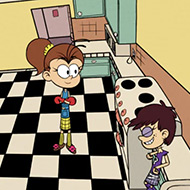
Five Nights at the Loud House’s jumpscare roster pulls from across the Loud family — Lori, Luna, Lynn, Lucy, Luan, Lily, Lana, and Lola all appear as animatronic threats you’re managing across a shift, each presumably carrying over some flavor of their sitcom personality into how they behave as a horror antagonist.
Lily’s Hallucination Is Five Nights at the Loud House’s Signature Moment
The most talked-about mechanic in Five Nights at the Loud House is a rare hallucination event involving baby sibling Lily, tied to the shared room she appears in alongside Lisa. If Lily reaches your office during this event, she disables your flashlight outright — and once she’s inside, there’s no way to make her retreat. That leaves you defenseless against Lynn and Lucy at exactly the moment you can least afford it, which is the kind of specific, punishing detail that only players who’ve actually run into it tend to know about.
A Community That Catalogs Every Jumpscare
Fangames in this genre tend to attract a very particular kind of completionist attention, and Five Nights at the Loud House is no exception — “full jumpscares, no commentary” compilation videos exist specifically cataloging each Loud sibling’s individual scare animation, the same ritual FNAF fangame communities have built around dozens of other titles.
Whether the sitcom-to-horror premise sounds like a joke or a genuine hook, Five Nights at the Loud House backs it up with mechanics that bite — Lily’s flashlight-killing hallucination isn’t a gimmick tacked onto a crossover skin, it’s a real threat that changes how carefully you have to manage every shift.
You open an old email attachment, and the image inside is just a dog’s face — smiling too wide, teeth a little too human. Smile Dog builds an entire horror experience around that single cursed picture, the same one that’s circulated on the internet since long before this game existed.
Smile Dog’s Desktop Slowly Turns Against You
Smile Dog is framed as a simulated old computer desktop — email, a file browser, a scattering of familiar-looking programs — and the horror comes from interacting with that environment rather than from a traditional level layout. You’re not exploring rooms so much as clicking through a machine that starts behaving less predictably the longer the cursed image stays open on it.
Built on a Real Piece of Internet Folklore
The game leans directly on the Smile.jpg creepypasta, a story that’s circulated across the internet since it first spread on message boards — a photo of a husky-like dog with unsettlingly human teeth, said to compel anyone who sees it toward madness or toward passing it along to someone else. Smile Dog doesn’t invent this mythology from scratch; it stages it, letting you experience the discovery-and-spread structure the original story is built around rather than just referencing it in passing.
Multiple Ways Smile Dog’s Story Can End
Because Smile Dog is structured around a slow desktop investigation rather than a single linear path, different choices in how you interact with the image and its surrounding files lead to different outcomes. That branching is part of what’s kept players replaying it — a single run doesn’t show you everything the desktop is hiding.
Do I need to know the original Smile Dog creepypasta before playing?
No, but recognizing the source material adds weight to specific moments — the game assumes some familiarity with cursed-image internet horror as a genre, even if you’ve never read the original story.
Is this a jump-scare-heavy game?
The tension leans more on slow desktop unease than constant scares, which is part of what separates it from more traditional horror games built around sudden jump-scare setpieces.
Smile Dog works because it treats a genuinely old piece of internet horror with respect — the cursed image at its center isn’t a prop invented for the game, it’s the same unsettling picture that’s circulated for years, now given a desktop of its own to spread through.
What happens when a fight comes down to just two buttons and nothing else to hide behind? Bearsus strips wrestling down to its bare mechanics — a roster of bears, a simple two-button control scheme, and physics that decide the rest, turning every match into a scramble to land a hit before your opponent lands theirs.
Why Bearsus Works With Just Two Buttons
There’s no combo string to memorize and no menu of special moves to learn before a match feels fair. With only two inputs to work with, a Bearsus fight comes down almost entirely to timing and reading your opponent’s next move, which makes early losses feel less like a skill gap and more like you haven’t learned the rhythm yet. Players who come in expecting a traditional fighting game’s depth sometimes bounce off the simplicity, while players who enjoy party-style, easy-to-learn chaos tend to stick around specifically because there’s nothing else to master first.
How Bearsus Structures Arcade, Endless, and Local Play
Arcade Mode has you battle through five foes in sequence, unlocking new bears and color palettes as you go. Endless Mode changes the stakes by carrying your health between rounds instead of resetting it each fight, which turns a string of easy wins into a real risk if you take even minor damage early. There’s also a straightforward two-player local mode for fighting a friend on the same screen, alongside options to fight against the CPU directly.
One of the roster’s playable bears, El Poderoso, is among the more recognizable names players bring up when talking about the game’s cast — a reminder that even with a minimal control scheme, Bearsus still leans on distinct characters rather than interchangeable fighters.
How many bears can I unlock?
The roster grows as you clear Arcade Mode’s five-foe gauntlet, with new bears and cosmetic palettes unlocking along the way rather than all being available from the start.
Is Endless Mode harder than Arcade Mode?
It can be, since your health doesn’t reset between fights — a string of clean wins keeps you strong, but taking damage early in Endless Mode follows you into every fight after it.
Bearsus doesn’t need a deep moveset to make a fight tense — two buttons and a bear named El Poderoso stepping into the ring is enough, and whether that reads as refreshingly simple or too thin depends entirely on what you came looking for.
Buzz.EXE Remake’s development was paused indefinitely on July 3, 2026, which means the build currently playable is, for now, as complete as this particular corrupted cartridge gets. That timing matters if you’re going in expecting a game still being actively expanded — what’s here is the full extent of it until further notice.
Buzz.EXE Remake Is the Cursed Cartridge of Toy Story
Officially subtitled The Cursed Cartridge of Toy Story (2005), Buzz.EXE Remake reimagines Woody’s world as a corrupted, bloody-eyed nightmare version of a Sega Genesis-style Toy Story platformer, with Buzz Lightyear turned from a co-star into the thing hunting you. It’s a 2D chase-and-platform game built specifically to feel like a broken cartridge from an era of licensed movie tie-in games.
Woody Is Currently the Only Way In
- Woody is the sole playable character in the current demo build of Buzz.EXE Remake.
- Rex, Hamm, Mr. Potato Head, and Rocky all appear on the character-select screen but aren’t playable yet.
- The earlier, unrelated original game this remake descends from let players control Woody, Rex, and Hamm in sequence, though only Woody could jump — a limitation this remake doesn’t carry over the same way.
Buzz.EXE Remake Is Part of a Bigger .EXE Family
Buzz.EXE Remake sits inside a long-running micro-genre of Toy Story “.EXE” fan horror games, a format that itself traces back to the broader Sonic.EXE creepypasta-game tradition. Multiple competing “Buzz” horror fangames exist across this space, and players who follow the scene closely tend to have opinions about which version is worth your time — this remake has built its own following specifically for how far it pushed the concept beyond its source material.
What to Know Before You Start
The game’s own content listing flags blood, jumpscares, sudden loud noises, and extreme flashing lights, which is worth taking seriously if you’re sensitive to any of those — this isn’t a subtle, slow-burn horror experience, it’s built around hitting hard and often.
Will Buzz.EXE Remake get more playable characters later?
The character-select screen already shows Rex, Hamm, Mr. Potato Head, and Rocky as planned additions, though with development currently paused, there’s no active timeline for when or if they’ll become playable.
Do I need to have played the original 2015 Buzz.exe game first?
No — this is a full remake built as its own experience, and it doesn’t require familiarity with the earlier, much smaller original to make sense.
Buzz.EXE Remake earns its spot in a crowded field of corrupted-mascot horror games by fully committing to its Sega-era Toy Story aesthetic, and even paused mid-development, Woody’s one playable route through it is a complete, self-contained nightmare on its own.
Family Secrets 1: Empty Plate never raises its voice, and that’s exactly why players keep calling it one of the saddest games they’ve played in a long time. This is a first-person psychological horror game with no combat and no puzzles to solve — just a house, a home life quietly falling apart, and a mood the game refuses to rush.
Family Secrets 1: Empty Plate Follows Miko, Jun, and an Empty House
You play Miko, an older sibling left in charge of younger sibling Jun after their mother leaves for work. What starts as an ordinary evening of caretaking gradually opens into something much heavier, built around neglect and fear inside a home that should feel safe and increasingly doesn’t. Family Secrets 1: Empty Plate touches on themes of abuse without ever needing a monster to make that feeling land.
Atmosphere Over Mechanics
There’s no fighting system and no inventory puzzles gating your progress — the entire thirty-to-forty-minute experience is built on exploration, dialogue, and pacing rather than anything you need to master mechanically. Jump scares do appear, but they’re not the game’s main tool; the dread comes more from what Miko notices and doesn’t say out loud.
Why Players Keep Calling Family Secrets 1: Empty Plate Devastating
Player comments around Family Secrets 1: Empty Plate consistently lean toward words like “sad” and “emotional” rather than typical horror-game reactions, which says a lot about where the game’s actual impact lands — it’s closer to a piece of quiet emotional drama wearing horror-game structure than a scare-focused experience.
Family Secrets 1: Empty Plate earns its reputation by trusting a short runtime and a restrained tone to do the heavy lifting — Miko and Jun’s night together doesn’t need a jump scare on every corner to leave players more shaken than most louder horror games manage.
You start with a handful of troops against a much bigger enemy force, and the only tool you have is dragging your army into a fight you’re clearly going to lose — until the first casualty hits the ground and you realize you’re allowed to bring it back on your side. Right Click to Necromance is exactly as literal as its name promises, and that one mechanic is the entire game.
Left-Click to Fight, Right-Click to Necromance
Movement and combat both run through left-click-drag, sending your growing horde wherever the fight is. The actual hook is the right-click — using it on defeated enemy troops resurrects them into your own army, turning every battle into a snowball where losing units on the enemy side is often better for you than winning cleanly, since it just hands you more bodies to raise.
Right Click to Necromance Was Built in 48 Hours and Never Finished
- Right Click to Necromance was made for a 48-hour game jam back in 2015.
- It’s explicitly unfinished — no campaign structure, no unlockables, no progression system beyond the core loop.
- There’s no tutorial and no difficulty settings, so the whole experience is exactly what shipped at the end of that jam weekend, with nothing added since.
A Second Life on YouTube, a Year Later
Right Click to Necromance found a real audience over a year after release, when it went viral through Let’s Play coverage — one widely watched video’s title alone, “THE DEAD SHALL DANCE!!,” captures the tone of that resurgence. Brazilian YouTubers picked it up around the same time, with one comparing it directly to Agar.io, a comparison that’s stuck with players who found the game through that wave of coverage rather than at launch.
A Bug Only High-Refresh Players Notice
One specific, well-documented issue affects players running high refresh-rate monitors — enemy spawn rates scale with frame rate in a way that can multiply spawns several times over on faster displays, creating a difficulty spike the original 48-hour build never accounted for. It’s the kind of detail that only shows up once you know to look for it.
Is Right Click to Necromance still being updated?
No — it’s remained in its original jam-built state since 2015, unfinished by design rather than actively developed further.
Does necromancing enemy troops make the game easier over time?
Generally yes — your horde tends to snowball as fights go on, since every defeated enemy unit is a potential addition to your own side rather than a permanent loss for either army.
Right Click to Necromance never grew past its jam-weekend scope, but the core idea — turning your enemies’ own casualties into your growing advantage — was strong enough to carry it to a much bigger audience than a 48-hour prototype has any right to find.
You pick one of four elements before you’ve even taken your first flight, and that choice — nature, fire, ice, or air — decides which moves and abilities you’ll be building around for the rest of the run. Dragon Simulator 3D hands you that decision immediately, then opens up an entire fantasy world for you to explore on wings you’re still learning to control.
How Dragon Simulator 3D’s Element Choice Shapes Everything
Beyond picking your dragon’s name and color, selecting an elemental affinity is the real character-building step. Each of the four options grants a distinct set of moves and abilities, so a fire dragon and an ice dragon aren’t just reskins of each other — they play differently enough that players often keep a favorite element rather than switching between runs.
Flight Controls Take Getting Used To
- Q toggles takeoff and landing.
- Space climbs, C descends.
- Shift triggers a boost for covering ground quickly.
Combat layers on top of flight rather than replacing it — left-click fires a ranged attack suited to your chosen element, while right-click swings a melee hit for closer encounters, meaning you’re managing altitude and attack range at the same time during any real fight.
An Open World Built for Talking, Not Just Fighting
The world isn’t purely hostile. You can talk to humans and other animals you encounter while exploring, and completing quests for them is how you earn rewards, which gives Dragon Simulator 3D a bit more texture than a straightforward hunt-and-survive loop. Exploration itself is rewarded too — the open world is large enough that simply flying somewhere new is often worth doing on its own.
A Contest-Winning Entry in the Series
Dragon Simulator 3D isn’t just another entry in its developer’s simulator lineup — it won CrazyGames’ 2019 developer contest, with judges specifically calling out its graphics, elaborate gameplay, and level design. That recognition lines up with how the game feels next to its stablemates: more ambitious in scope, with a fantasy setting that gives it room to do things a realistic animal sim couldn’t.
Is there a multiplayer version of Dragon Simulator 3D?
A separate, related title called Dragon Simulator Multiplayer exists with PVP battles built in, but it’s a distinct game from this single-player version rather than an added mode within it.
Does my chosen element lock me out of anything?
It shapes your moveset rather than restricting your access to the open world — you can still explore, quest, and talk to NPCs regardless of whether you picked fire, ice, nature, or air.
Between the elemental choice at the start and the quests waiting throughout the open world, Dragon Simulator 3D asks you to commit to an identity early and then rewards you for actually flying out and using it — which is likely a big part of why it stood out enough to win a contest built around the same open-world simulator format.
You wake up in a new apartment, meet your landlord for the first time, and something about how interested he is in your daily routine is impossible to shake. My Sweet Housemate builds its entire hook around that unease, wrapping a real horror game inside what plays, on the surface, like a cozy life-sim dating story.
My Sweet Housemate Is About Living With Seung-min
Your days revolve around Seung-min, the landlord whose behavior gets more unusual the closer you let him get, and every interaction — small tasks, conversations, shared routines — nudges your relationship with him toward one of several possible outcomes. You build your own player character first, with control over name, pronouns, voice, and even your room’s layout, which makes the growing unease that follows feel more personally aimed at you.
My Sweet Housemate Stays Sweet Until It Suddenly Isn’t
- The tone shifts between genuinely charming and openly unsettling, often within the same scene.
- Content listed for the game includes horror, violence, and other disturbing material well beyond what the cozy art style suggests up front.
- Trust and closeness with Seung-min shape which ending you land on, rewarding attention to how your choices are read rather than just clicking through dialogue.
- Is My Sweet Housemate more horror or more romance? It’s built as a genuine hybrid — the routine and affection are real, but so is the horror underneath it, and the game doesn’t let either side cancel the other out.
- How long does a full playthrough take? Around one to two hours, short enough to see a full ending in a single sitting.
My Sweet Housemate earns its reputation as “deliciously horrifying” by never fully tipping its hand — Seung-min stays charming enough that the darker turns land harder, and that balance is the whole reason the game has stuck with players well past a first playthrough.
In Grow Up The Cats, a cat isn’t something you raise — it’s something you plant, water, and harvest, like a crop that happens to meow. That single idea, treating kittens as a literal thing you farm rather than a pet you feed, is what separates this idle clicker from the usual pet-care format.
Planting a Cat in Grow Up The Cats
Your starting resource is a patch of fertile land, and the core loop asks you to tap it to plant, water, and eventually harvest a fully grown cat from the soil. It plays like a farming idle game on the surface, but the crop being harvested is a cat, which gives every stage of the loop a strange, deadpan humor that the game leans into rather than explains away.
The Robocat Does the Repetitive Work
A robot cat companion is central to progressing past the early tapping stage. Upgrading the robocat lets it auto-tap on your behalf, which turns Grow Up The Cats from an active clicking game into something you can leave running while it keeps harvesting cats in the background — the same shift most idle games eventually make, just with a robot doing the labor instead of hired workers.
Fertilizer, Land, and New Breeds
- Fertilizer can be bought to boost how much your land earns per harvest.
- New lands unlock as you progress, expanding how much you can grow at once.
- Different cat breeds are discovered and collected along the way, giving the harvest loop a collection layer on top of the raw income numbers.
Breed discovery is what keeps the loop from feeling purely transactional — every new land or fertilizer upgrade is partly in service of finding a breed you haven’t grown yet, not just pushing the coin counter higher.
What Makes Grow Up The Cats Stand Out
What makes Grow Up The Cats stand out from other idle clickers isn’t its structure, which follows the genre’s usual tap-upgrade-automate rhythm closely. It’s the framing — a robocat helping you literally farm cats out of the ground is a strange enough premise that it carries the early game on novelty alone, before the fertilizer and land upgrades even kick in as a real progression system.
- Do I need to water the land manually forever? No — once the robocat is upgraded enough to auto-tap, watering and harvesting happen without you needing to click through every step.
- Does fertilizer or a new land unlock matter more early on? Fertilizer boosts what you’re already growing, while a new land expands capacity, so early progress usually benefits more from fertilizer until your existing land is fully optimized.
Grow Up The Cats earns its place in the idle-farming genre by committing fully to its own logic — cats are crops here, the robocat is your farmhand, and every fertilizer purchase is really just an investment in growing something a little stranger than wheat.
The clone in Happy Room doesn’t die from a single hit — it gets back up, again and again, which is exactly why the game hands you a room full of ways to test that. It’s a physics sandbox where you arrange weapons and traps around a lab chamber and watch what happens when a durable human clone walks into them, treating destruction less like violence and more like a puzzle with a body count.
Building a Room That Works Against Itself
Each level gives you an empty chamber and a goal, and the actual solving happens in how you place your equipment relative to the clone’s path through the room. A circular saw mounted at the wrong height does nothing useful, while the same saw positioned to catch the clone mid-stride can chain into whatever else is nearby. Players quickly learn that Happy Room rewards thinking about sequence — what happens first, what that triggers next — more than it rewards brute force.
What Happy Room Gives You to Work With
The equipment list ranges from straightforward firearms and melee weapons to a flamethrower that can ignite a chain of other traps, up to a black hole device capable of pulling the clone and nearby objects into it outright. Combining weapons is where most of the game’s replay value lives — a setup that looks obvious on paper often behaves differently once physics, momentum, and timing get involved, and player communities around the game tend to trade screenshots of combinations that produced an unexpectedly chaotic result.
Is Happy Room actually a horror game?
Not in the traditional sense — there’s no antagonist stalking you and no jump scares. The unease comes from the tone: a bright, clinical lab setting paired with cartoonish, over-the-top violence toward a clone that keeps calmly reappearing for the next test.
Do I need to finish levels in a specific order?
The objective-based structure expects you to clear each chamber’s goal before new equipment unlocks, so while there’s room to experiment, progress is still gated by actually completing what a level asks for.
What keeps Happy Room from feeling repetitive is that the clone never stops being the same calm, resettable test subject — no matter how elaborate the black hole and flamethrower combination gets, the room resets, and the next idea is already waiting to be tried.
You’re the village’s new shepherd, and on your first morning the animals in the barn are just gone — no blood, no broken fence, nothing to explain it. That’s the entire premise Scary Game 2: The Mad Shepherd needs to get started, and it spends the rest of its runtime walking you through exactly how wrong this village actually is.
Scary Game 2: The Mad Shepherd Is a Walking Simulator With Nothing to Fight
Scary Game 2: The Mad Shepherd is built around exploration rather than combat — there’s no weapon to swing and nothing to shoot, just a village to investigate and villagers to talk to as you try to figure out what happened to your missing flock and how to get out. The horror here comes from what you uncover, not from anything you have to survive mechanically.
Horror That Doesn’t Take Itself Too Seriously
- The game’s own listing openly mixes psychological horror with dark comedy and mystery.
- Exaggerated explosions and cartoonish, comedic elements sit alongside blood and dead bodies played for parody rather than straight dread.
- That tonal blend is unusual enough for the genre that some players find it genuinely funny while others find it undercuts the scares — it’s one of the more debated aspects of how the game plays.
A Village Investigation With an Active Fan Following
Scary Game 2: The Mad Shepherd built a fan wiki and hint-guide site within days of release, alongside multiple full, no-commentary walkthrough videos posted just as quickly — a strong sign that players wanted a way to compare notes on a village that doesn’t hand you straightforward answers.
Reception to Scary Game 2: The Mad Shepherd Has Been Strong, With a Few Caveats
Long-term reviews for Scary Game 2: The Mad Shepherd have stayed solidly positive, though the split between horror and comedy tone is exactly the kind of thing that shows up in more critical reviews — some players want it to commit harder to one direction rather than blending both throughout.
- Is there any combat in Scary Game 2: The Mad Shepherd? No — the game is built entirely around exploration and dialogue, with no fighting system to learn.
- Is the comedic tone consistent throughout, or does it stay serious in places? It shifts — some sections lean fully into dark comedy and parody, while others sit closer to straightforward psychological horror, which is part of why the tone gets discussed so much.
Scary Game 2: The Mad Shepherd isn’t trying to be a straightforward scare machine — it’s a village-sized mystery with a shepherd who just wants answers, delivered through a tone that’s as willing to make you laugh as it is to unsettle you.